

Wiring a safe's lock to your alarm system means you stop relying on memory to secure it every time you leave the building: arm the alarm and the safe locks itself, either through a hard-wired relay on a commercial-grade lock or an app automation on a Wi-Fi digital lock.
- Two integration paths exist in 2026: hard-wired relay triggering for commercial TDR locks and app-based automation for Wi-Fi digital locks.
- Safe integration with alarm system only works if the lock has an auxiliary input or a manufacturer app that supports automation — check before buying.
- A licensed alarm installer handles the hard-wired path in half a day; the app path is DIY and depends on the lock's own automation feature.
- Gun safes and cash safes should skip the reverse (unlock-on-disarm) variant and stay on manual unlock regardless of alarm state.
Why this matters
A safe that only locks when someone remembers to spin the dial or hit the keypad is a safe that gets left open on a rushed Friday afternoon. Tying the lock to the alarm system closes that gap automatically — the same action that arms the alarm at closing time also re-secures cash, documents or firearms without a second step. Buy A Safe stocks digital and electronic lock models across its home, commercial and gun safe ranges, and the lock type on the safe you already own decides whether this integration is even possible.
Before you start
- Access to the alarm panel's programming menu or its companion app — most integrations route through the panel, not the safe.
- A safe with a digital, electronic or app-connected lock. A purely mechanical dial lock has no way to receive an external signal.
- The gotcha: plenty of electronic safe locks are standalone units with no auxiliary relay input and no third-party API. Confirm this in the lock's documentation before booking a wiring job — checking the spec sheet takes five minutes; finding out after the safe is bolted down costs a return visit.
Two ways to link a safe to an alarm system
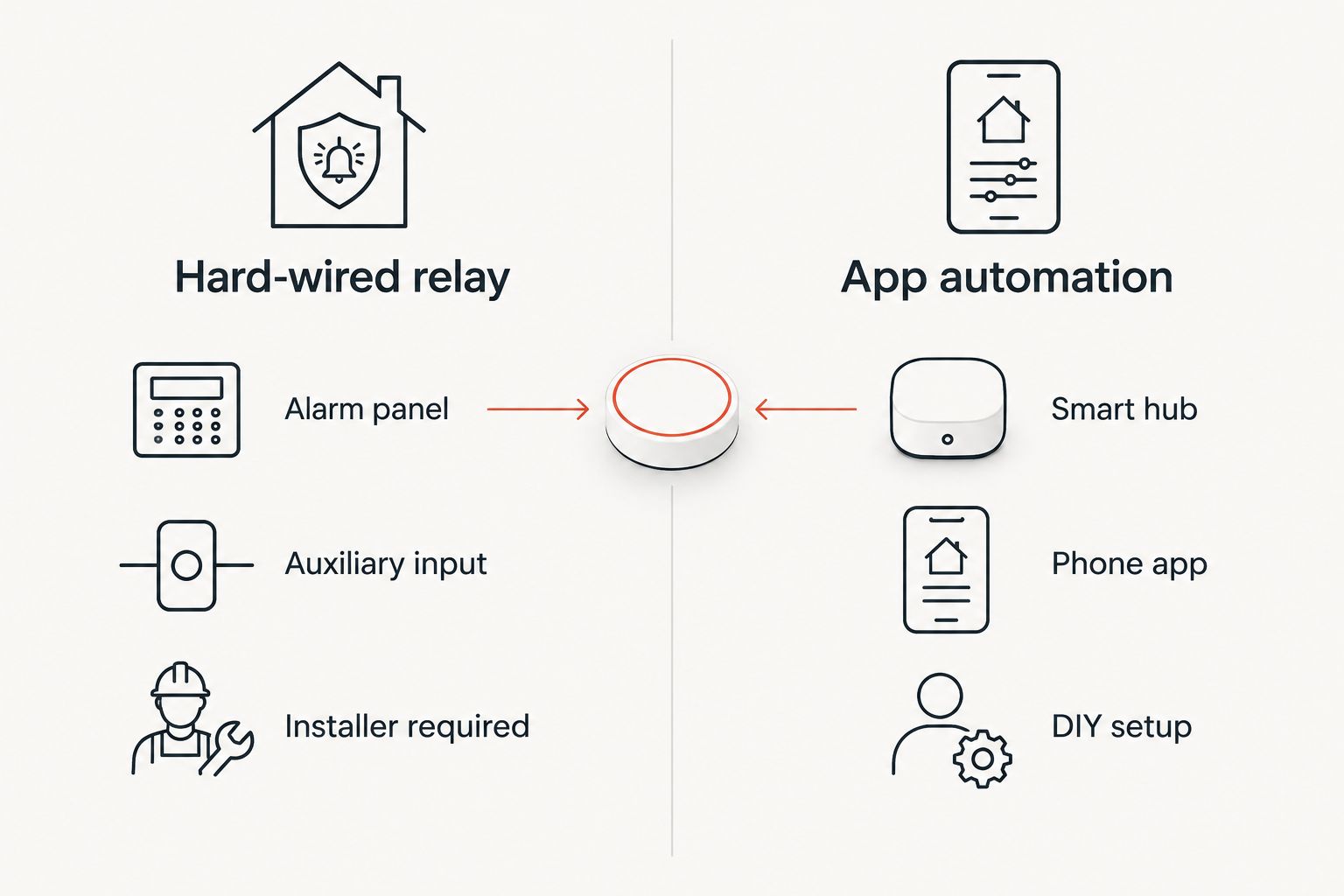
There isn't one universal method in 2026 — it splits into two separate paths depending on the lock already fitted to the safe.
| Method | Best for | Setup effort | Key limitation |
|---|---|---|---|
| Hard-wired relay integration | Commercial TDR and dual-custody locks | Licensed alarm installer, half a day | Only works if the lock has an auxiliary relay input |
| App/smart-hub automation | Wi-Fi or Bluetooth digital locks | DIY, under an hour | Depends on the lock's own app supporting third-party triggers |
Hard-wired relay integration suits commercial cash and document safes; app-based automation suits home safes already running a phone-linked lock.
Confirm your lock supports external triggering
- Open the lock's user manual or spec sheet and look for a Wiegand input, dry contact relay or auxiliary terminal listing.
- If the lock only mentions a keypad and a battery compartment with no wiring diagram, it's a standalone unit — skip to the app-based path below or plan on a lock swap.
- For app-based locks, open the manufacturer's app and check Settings > Automations or Integrations for a listed alarm or smart-home partner.
Expected result: within ten minutes you know which of the two paths applies to the safe you have.
Wire the hard-wired relay path
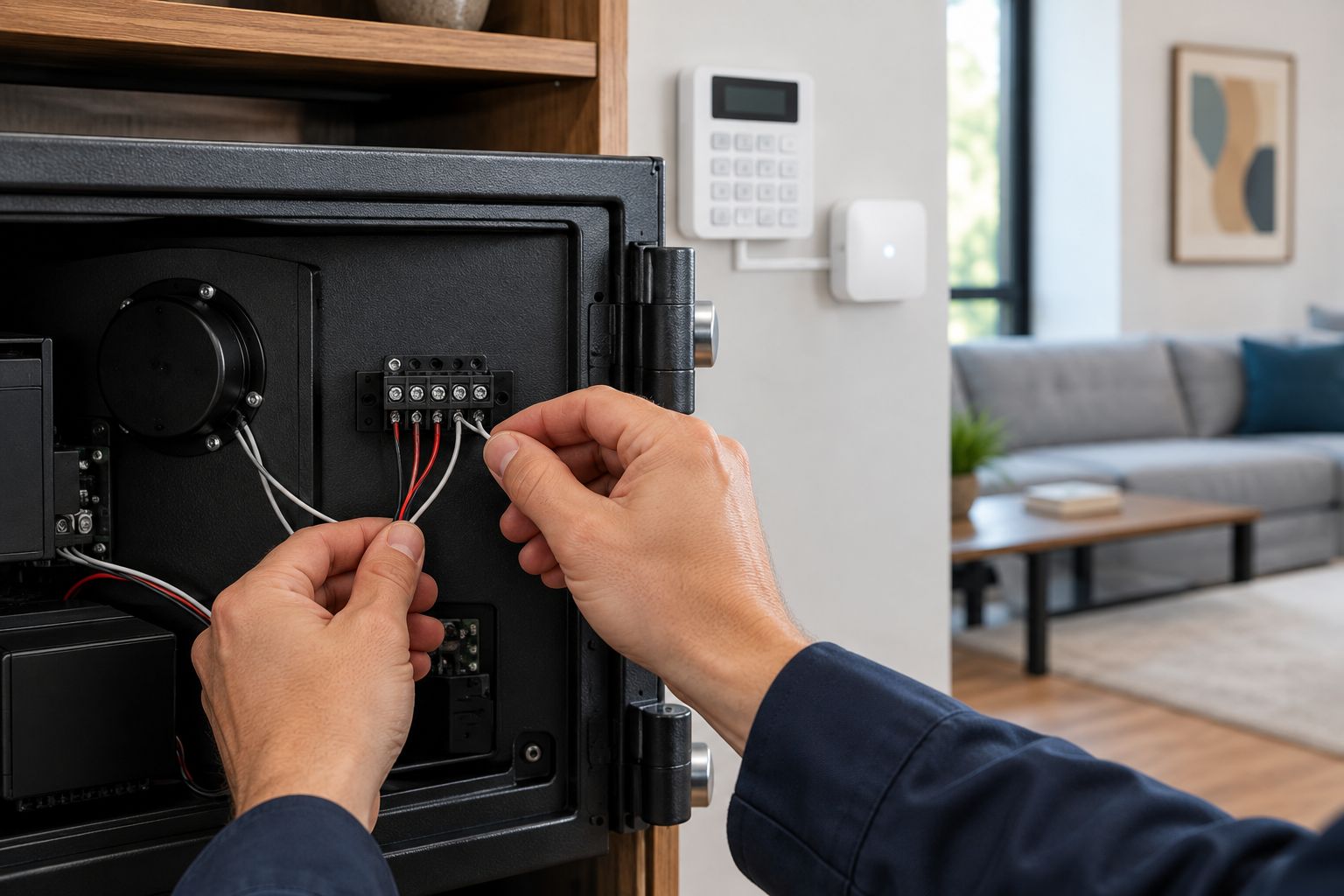
Commercial time-delay-relock (TDR) locks, like the one on the CMI CR5 Commander Safe, are the typical entry point for this path.
- Have the alarm installer locate a spare Programmable Output (PGM) or relay zone on the alarm panel.
- Set that output's trigger condition to Arm — add a second output set to Disarm only if you want the reverse behaviour described below.
- Run low-voltage cable from the panel's output terminals to the lock's auxiliary input terminals, matching polarity as marked on the lock's wiring diagram.
- Arm the system from the keypad and watch the lock's status LED for the lock-confirmation signal.
Expected result: the safe's bolts extend within a few seconds of the alarm entering Armed mode, with nobody touching the safe.
Set up the app-based automation path
Wi-Fi and Bluetooth digital locks — the kind covered in Buy A Safe's guide to smart safes with app control — skip the wiring entirely and route the trigger through a smart-home hub instead.
- Pair the lock with its manufacturer app and confirm it appears as a device in a smart-home hub (Google Home, Apple Home or the alarm brand's own app).
- In the hub, create an automation with the trigger "When alarm is armed".
- Set the automation's action to the lock's exposed command, usually named Lock or Secure.
- Save the automation and test it by arming the alarm from a phone rather than the panel, to confirm the hub is actually listening for the event.
Expected result: the lock's app shows a Locked status change within seconds of the automation firing.
Lock on arm, unlock on disarm
The same setup runs in reverse for households that want the safe to unlock automatically once the alarm is disarmed at the front door — useful for a bedside home safe holding daily-carry items. Duplicate the output or automation from either path above, but set the trigger condition to Disarm and the lock action to Unlock.
Skip this variant for gun safes and cash safes. Those should stay on manual unlock regardless of alarm state, for the same reason a bank vault doesn't open itself the moment the branch alarm goes quiet.
Which safes are built for this
Not every safe on the market has a lock worth automating. These carry digital or electronic locks with the wiring or app support the workflow above depends on:


Test the integration
- Arm the alarm from the panel and time how long the safe takes to lock — anything past 15-20 seconds usually points to a misconfigured trigger condition, not a faulty lock.
- Disarm and confirm the safe stays locked, unless the reverse automation above is deliberately set up.
- Test with a dead alarm battery or a Wi-Fi outage to confirm the lock defaults to its last known state instead of unlocking on signal loss.
Troubleshooting
- Safe doesn't lock when the alarm arms — check the PGM output is mapped to the correct zone number; a common install error wires to a zone that only triggers on alarm event, not on arm state.
- App automation doesn't fire — smart-home hubs often need the lock's app permission refreshed after an update; re-authorise the integration in the hub settings.
- Lock locks then immediately re-opens — a relay wired to normally-closed instead of normally-open terminals sends a continuous signal; swap the wiring polarity.
- 30+ second delay between arm and lock — usually a Wi-Fi lock waiting on a cloud round-trip instead of a local hub command; switch the automation to a local-only hub if the lock supports it.
- Reverse automation unlocks the safe on a brief alarm dropout — remove the disarm trigger and go back to manual unlock; a dropped connection should never be read as a genuine disarm command.
Customize your workflow
Automating the lock is one piece of a bigger digital setup. Buy A Safe's guide on how to connect a digital safe to your phone covers the notification side of this — knowing the moment the safe opens, not only when it locks. Pair that with a scheduled lock-out window overnight, independent of the alarm, if the safe holds cash that should stay sealed even during business hours when the alarm itself is disarmed.
FAQ
What is safe integration with alarm system?
Safe integration with alarm system means the safe's lock reacts automatically to the alarm arming or disarming, through a wired relay on a commercial lock or an app automation on a Wi-Fi digital lock. It removes the step of manually locking the safe before you leave.
Can any safe be wired to an alarm system?
No — only safes with a digital, electronic or app-connected lock support this; a mechanical dial lock has no way to receive an external signal. Check the lock's spec sheet for a relay or auxiliary input before planning any wiring.
Is a hard-wired relay or an app automation better for safe integration with alarm system?
Hard-wired relays suit commercial TDR and dual-custody locks and need a licensed alarm installer; app automations suit Wi-Fi digital locks and need no electrician. Pick based on which lock is already on the safe, not personal preference.
Should a gun safe unlock automatically when the alarm disarms?
No — gun safes and cash safes should stay on manual unlock regardless of alarm state, so a dropped Wi-Fi connection or a false disarm event never opens them by accident.
What happens if the alarm system loses power or Wi-Fi?
A correctly configured lock defaults to its last known state — locked stays locked — rather than unlocking on signal loss. Test this scenario deliberately before relying on the integration in 2026.
Do I need an electrician to set up safe integration with alarm system?
Only for the hard-wired relay path, where a licensed alarm installer connects the panel's programmable output to the lock's auxiliary terminals. The app-based path runs through a smart-home hub and needs no wiring.
Why doesn't my safe lock when the alarm arms?
The most common cause is a programmable output wired to the wrong alarm zone rather than a genuine arm condition; the second most common cause is a lock with no auxiliary input at all.
One last thing
The lock, not the alarm panel, is almost always the bottleneck. Alarm panels have shipped with spare programmable outputs for over a decade; a safe lock with no auxiliary input or app hook is the real reason most integration attempts stall at step one in 2026 — check the lock's spec sheet before you check the alarm panel.


