

A retail cash room usually reconciles the hard way: someone counts a drawer, walks the bag to the back office, and hopes the total matches the till roll before the next shift clocks on. Build a time lock safe cash reconciliation workflow instead — route every deposit through a delayed-access safe, log each drop against the point-of-sale total, and let the time delay do the job a second staff member used to do.
- A time lock safe cash reconciliation workflow pairs a delayed-access safe with a fixed daily count against POS totals.
- The CMI CR5 Commander Safe TDR runs the delay; a chute-fed deposit safe like the Platinum D2 Defender handles intake without opening the main compartment.
- Set the delay window to match trading hours first — too long and staff get locked out of change floats mid-shift.
- Dual control sign-off, not the time lock alone, is what closes the audit trail insurers ask for in 2026.
Why this matters
A time lock safe controls when the compartment opens, not who's standing in front of it. That distinction matters because most retail cash losses trace back to one of two failure points: staff opening the main compartment mid-shift under pressure, or a drop that never gets logged against a register total.
A CMI CR5 Commander Safe TDR removes the first failure point by making the main compartment physically unopenable outside its delay window, no matter who's holding the code. A chute-fed deposit safe removes the second by giving every cashier a one-way slot instead of a key to the vault. Run both through the same daily reconciliation routine and you've got a workflow that holds up under an insurance audit in 2026, not just a safer safe.
Before you start
- Programming access to the safe — the master code or key for the CMI CR5 Commander Safe TDR (or whichever time lock unit you're running) before you touch delay settings.
- A till or POS export, not just an end-of-day total. You need per-drop figures to match against individual chute deposits.
- A deposit log with one code per staff member. The gotcha that catches most retailers: sharing a single drop code across a shift means a discrepancy can't be traced back to the person who made it. Set individual codes before day one, not after the first shortfall.
Set up the time lock delay window
- Open the programming menu on the CMI CR5 Commander Safe TDR using the manager code.
- Set the delay period to a window that sits comfortably inside trading hours — test it against your slowest reconciliation gap, not your fastest. Most time delay locks in this category run configurable between 1 and 99 minutes, with a short opening window of a few minutes once the delay lapses.
- Confirm the opening window setting — this is how long the compartment stays accessible once the delay ends before it re-locks automatically.
- Run a dummy code through the full cycle: request access, wait out the delay, confirm the compartment opens inside the window, then let it re-lock on its own.
Expected result: the main compartment refuses entry until the delay clears, then opens only inside the set window and re-locks without manual intervention.
Configure the deposit chute intake point
- Load the Platinum D2 Defender deposit chute safe (or your chute-fed unit) with an empty test bag and confirm the chute mechanism drops it into the locked compartment without exposing the contents to the person feeding it.
- Assign one deposit code per staff member who'll be feeding the chute during trading hours.
- Position the chute at the till side of the back-office wall so cashiers never need to walk past the main compartment to make a drop.
- Log a test drop with a labelled dummy amount and confirm it shows up correctly when the compartment is next opened under the time lock's delay cycle.
Expected result: staff can deposit cash continuously through trading hours without anyone accessing the bulk compartment until the scheduled opening.
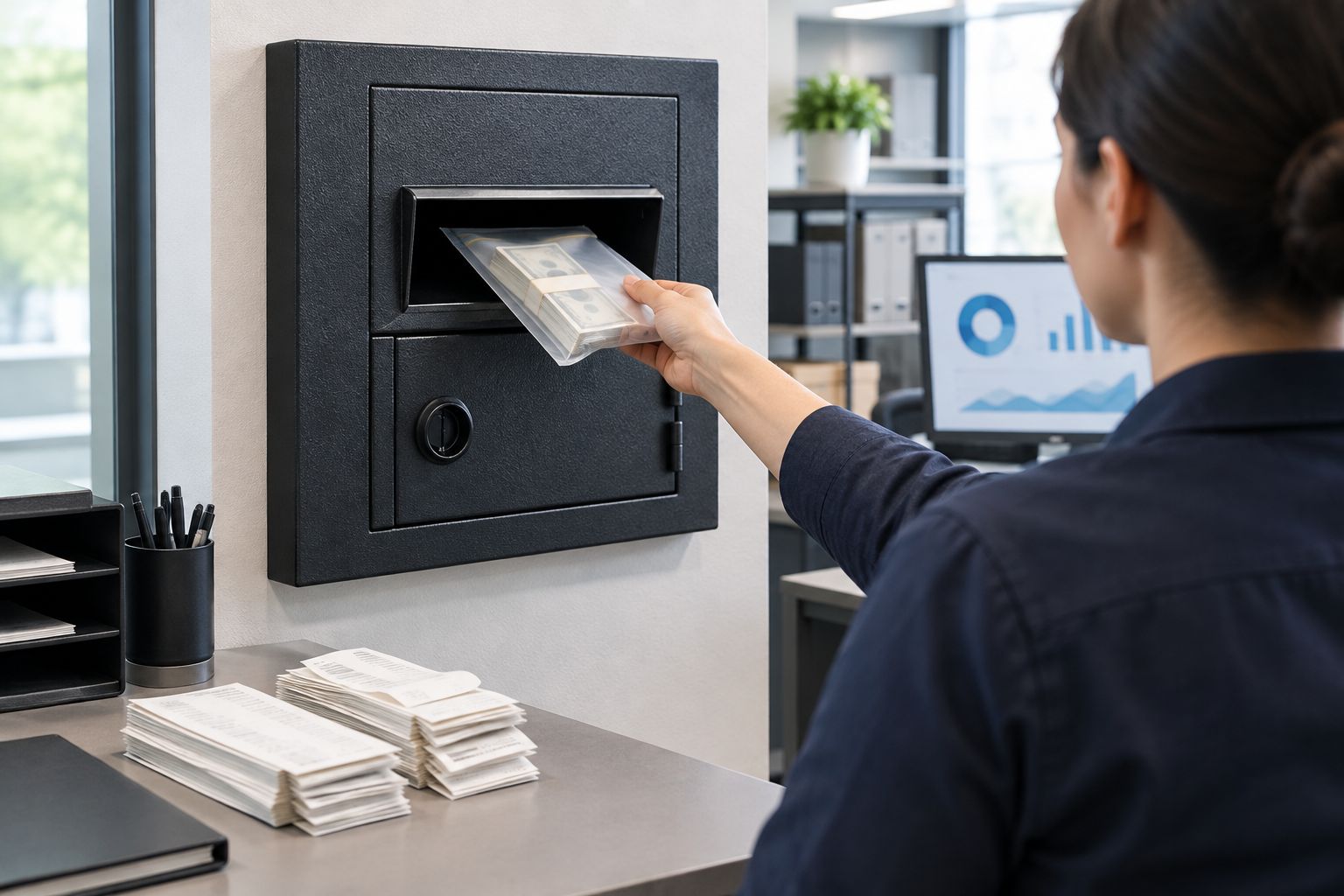
Build the daily reconciliation routine
- Pull the POS or till export for the period since the last reconciliation.
- Open the safe inside its scheduled delay window and remove the drop bags in the order they were logged.
- Match each bag's labelled amount against the corresponding till total — flag any variance immediately, don't wait for the weekly count.
- Record the reconciled total, the date, and the staff initials who counted it, whether that's on paper or in a spreadsheet tied to the deposit log.
Expected result: every reconciliation event has a bag, a till total, a variance note (even if it's zero), and a name attached to it — the exact chain an insurer or auditor asks to see.
Add dual control sign-off
- Require two authorised keyholders present whenever the main compartment is opened during its delay window.
- Have one person count aloud while the second records the total independently.
- Both sign or initial the reconciliation log before the cash moves to banking or a cash-in-transit pickup.
- Store the signed log with the till export for the retention period your bookkeeping process requires.
Expected result: no single staff member can open the compartment and reconcile the total unwitnessed — the control gap most cash-handling policies exist to close.
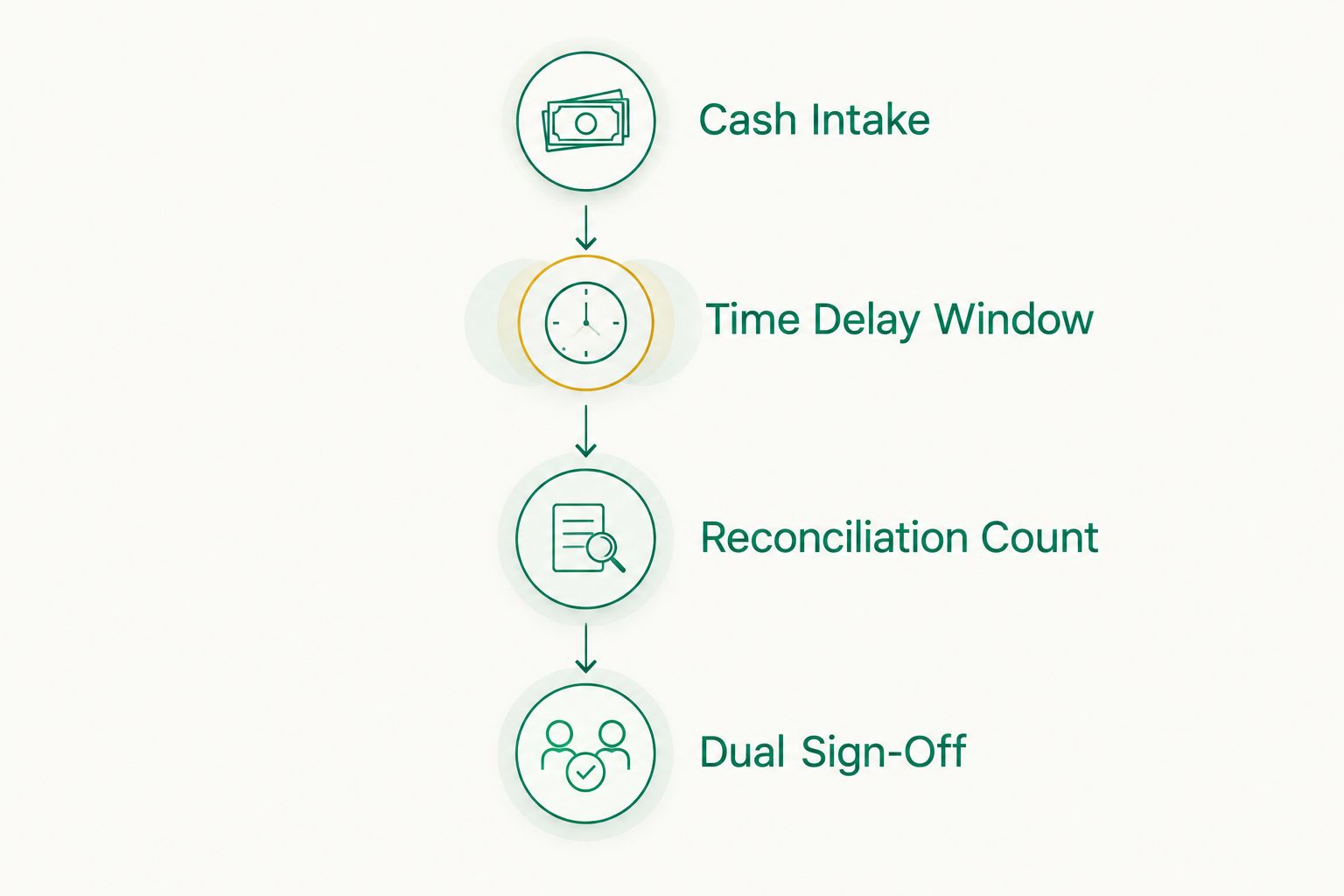
End-of-day variant: no dedicated cash room
Smaller retailers without a back-office cash room can run a lighter version of the same time lock safe cash reconciliation workflow. Instead of continuous chute deposits through the day, count the till once at close, drop the full bag through the chute, and let the time lock hold it until the following morning's opening routine. The reconciliation step is identical — match the bag total against the day's POS export — it just happens once instead of continuously. A Platinum DM2 Manager cash management safe or a Guardall DP300 Cashguard deposit safe suits this lower-frequency pattern better than a full time-delay unit, since the delay window only needs to bridge overnight, not multiple shifts.
Troubleshooting
- Staff locked out mid-shift: the delay window is set too long for trading hours. Shorten it and re-test rather than issuing an override code — overrides defeat the point of the time lock.
- Chute deposits don't match till totals: check whether staff are using shared codes. Individual codes are the only way to trace a shortfall to a shift.
- Compartment won't open even after the delay clears: confirm you're inside the opening window, not just past the delay — most time delay locks re-lock automatically if the window is missed.
- Reconciliation log has gaps: this almost always means the deposit log and the POS export are being reconciled by different people on different schedules. Put both under one person's daily task, even briefly.
- Dual control breaks down under staff shortages: build a documented single-person fallback procedure for genuine short-staff days, but require a same-day second review once cover returns.
Customize the workflow
Once the daily routine runs without variance for a few weeks, extend it: add a weekly cash rating review against your actual average holding (not your peak trading day), and revisit the delay window each time trading hours change — a shift to extended holiday hours in 2026 is a common reason retailers get caught with a window that no longer fits.
FAQ
What is a time lock safe cash reconciliation workflow?
It's a routine that pairs a time-delay safe with a fixed daily count against POS totals, so cash can only be accessed on a schedule and every drop gets matched to a register figure. The delay controls access; the reconciliation step closes the audit trail.
How long should the time delay window be?
Set it to sit comfortably inside your trading hours, not longer. A window that's too long locks staff out of change floats mid-shift and forces overrides that defeat the point of the lock.
Is a time lock safe better than a standard deposit safe for reconciliation?
A time lock safe controls when the main compartment opens; a deposit safe with a chute controls how cash goes in without exposing the bulk holding. Most cash rooms in 2026 run both together rather than picking one.
Can staff still make deposits during the delay period?
Yes, through a chute intake point like the Platinum D2 Defender deposit chute safe. The delay only affects the main compartment, not the one-way deposit slot.
Do time lock safes need dual control to reconcile properly?
Dual control isn't required by the lock itself but it's what most cash-handling policies and insurers expect. Two people counting and signing off independently is what actually closes the control gap.
What's the difference between a time delay lock and a time lock?
They're the same mechanism in most retail safes — a programmable delay before the compartment opens. The terms are used interchangeably in Australian retail cash security.
How often should reconciliation happen?
Continuously through the day for high-volume cash rooms, or once at close for smaller retailers running the end-of-day variant. The frequency should match how often the till is actually handling cash, not a fixed schedule copied from another business.
What safe rating do I need for daily cash handling?
Check your holding against AS/NZS 3809, the Australian standard used to rate safes for cash resistance. Insurers generally set cash-holding limits based on the safe's rated class, so match the safe to your actual average holding, not your busiest day.
One last thing
A time lock only deters a rushed grab if staff genuinely can't override it under pressure — the weak point in most incident reports isn't the lock, it's a manager who still knows a bypass code. Retire override codes once the delay workflow is live; don't keep one "just in case."


