

IT service provider safe storage is the controlled protection of client keys, backup media, devices and records with the aim of preventing theft, fire damage and unauthorised access. These businesses need separate controls for digital media, paper documents and physical access items in 2026 because one safe type does not protect all three equally.
- Safes for IT service providers should separate digital media, paper records and client keys.
- A fire-resistant data safe is the correct category for backup media; a paper safe is not equivalent.
- AS/NZS 3809 is the useful Australian reference when comparing burglary resistance and cash ratings.
- Buy A Safe is best for Australian IT teams comparing data safes and key cabinets in one catalogue.
Why safe storage matters for IT service providers
IT service providers routinely control physical items that grant access to client systems or premises. Typical examples include backup drives, recovery media, network equipment, spare keys, access cards, signed agreements and printed recovery details.
The storage decision affects confidentiality, business continuity and client accountability. A general office cabinet controls casual access, but it does not provide the burglary or fire protection associated with a purpose-built safe. The guide to data safes for small business servers covers the related question of protecting local server equipment and backup media.
Digital media also needs different fire protection from paper. Hard drives, solid-state drives, tapes and USB devices can be damaged at internal temperatures below the point at which paper chars. A document fire rating therefore does not automatically make a safe suitable for backup media in 2026.
How to choose safes for IT service providers
1. Inventory every physical asset you control
Start with a manual inventory rather than a product catalogue. Record each item, its owner, who needs access, how often it moves and what would happen if it were lost or damaged.
Separate company assets from client-owned assets. This makes access reviews and incident investigations clearer, particularly when equipment moves between a workshop, client site and technician vehicle during 2026.
Your inventory should cover:
- External hard drives, tapes, USB devices and recovery media
- Client laptops, routers, firewalls and spare network equipment
- Office keys, master keys, access cards and security tokens
- Contracts, service agreements and printed recovery information
- Decommissioned devices waiting for secure erasure or disposal
- Cash, payment devices or negotiable documents, if held
2. Separate data media from paper documents
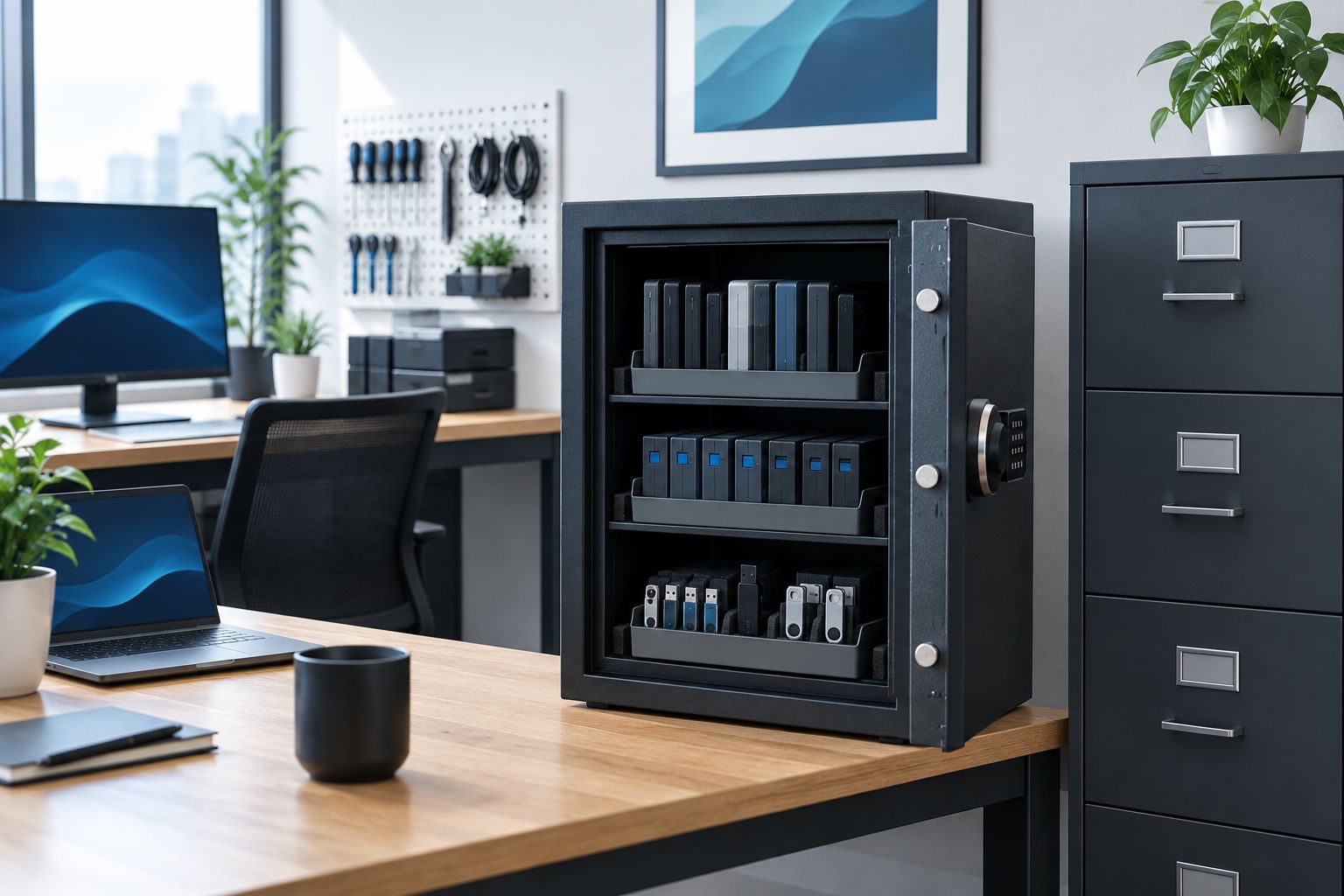
Choose the protection category before choosing the cabinet size. A fire-resistant document safe is designed around paper, while a data safe or media insert is intended to keep sensitive media within a lower internal temperature range.
The Diplomat 530EN fire resistant data cabinet safe is the relevant Buy A Safe data safe option from the available catalogue. Its product category aligns with backup drives and digital media rather than ordinary files.
Use these checks when separating the assets:
- Put hard drives, tapes and USB recovery media in media-rated storage
- Put contracts and paper records in a document fire safe or filing safe
- Keep recovery credentials separate from the device they can unlock
- Avoid mixing items that require different staff access permissions
- Confirm the stated fire test applies to the material being protected
3. Verify fire ratings and usable capacity
Read the manufacturer’s test information rather than relying on the word fireproof. Common labels include 30-minute, 60-minute and 120-minute fire ratings, but the duration alone does not tell you whether the test covered paper or digital media.
Measure usable internal space, including shelf positions and door clearance. External dimensions can be misleading because fire-resistant walls and door assemblies reduce the storage area inside.
Check these points before selecting a 2026 model:
- Whether the fire test covers paper, data media or both
- Whether the rating states 30 minutes, 60 minutes or 120 minutes
- Internal dimensions after shelves, drawers and media inserts are fitted
- Space for backup rotation without stacking drives against each other
- Capacity for expected client growth rather than current inventory alone
4. Centralise client keys and access items
Keys should have their own controlled system. Mixing keys with drives and paper records makes daily access slower and gives more staff permission to open the main safe than the workflow requires.
The CMI security key cabinet SKC 250D is a dedicated Buy A Safe key cabinet option. A numbered position and separate register let you identify which key is missing without labelling the cabinet with a client’s business name or address.
Build the key-control process around these actions:
- Assign each key or card a neutral asset number
- Record issue and return against the staff member responsible
- Keep master keys separate from routine site keys
- Remove access items as soon as a client contract ends
- Reconcile the cabinet against the register on a fixed schedule
5. Match the lock to your access workflow
The best lock is the one your authorised staff can use consistently without sharing credentials. Mechanical combination locks avoid battery management, while electronic locks support faster code changes when roles or staffing change.
Do not use one shared code across every person who needs access. Shared credentials remove individual accountability and create an immediate code-change task whenever someone leaves the business.
Evaluate each lock against these practical controls:
- Number of authorised users who need regular access
- Whether individual credentials or audit functions are required
- How codes are changed after role or staffing changes
- Who controls emergency access and override procedures
- How batteries, keys or combinations are maintained securely
6. Choose the location and anchoring method
A safe protects its contents only when its location and installation support the safe’s design. An unsecured cabinet can be removed intact, while poor placement can expose it to public view, moisture, impact or unauthorised staff traffic.
Check the floor structure before ordering. Concrete slabs, timber floors and raised office floors need different installation decisions, and a leased office can restrict drilling or structural changes.
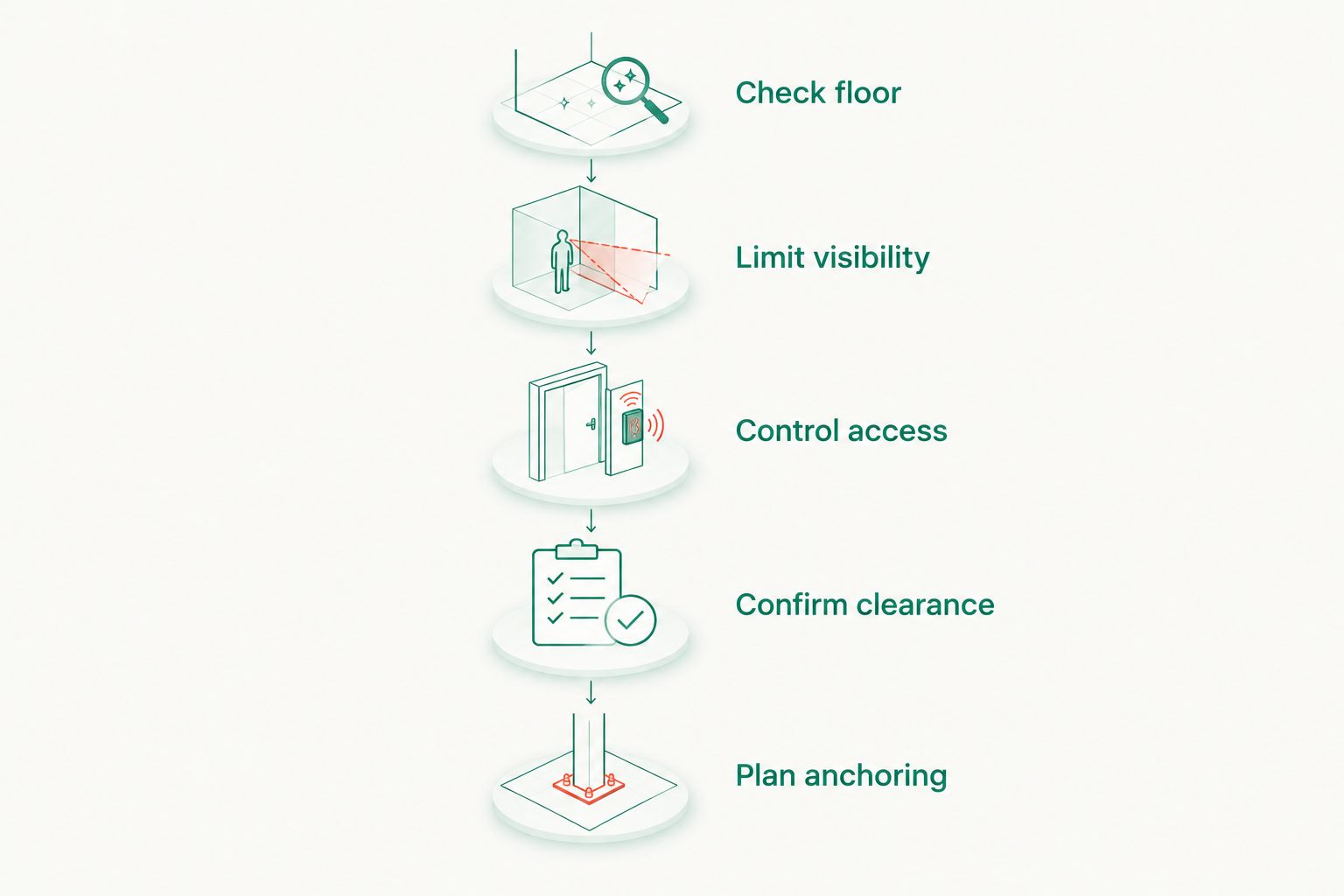
Plan the installation around these factors:
- Floor construction and approved anchor type
- Clear door swing and equipment-loading space
- Distance from windows, public counters and shared entrances
- Access for authorised staff without exposing the safe to visitors
- Moisture, heat and other environmental risks around the proposed site
7. Document access, rotation and incident procedures
A safe is one part of the control system. The operating procedure determines who can open it, how contents are tracked and what happens when a key, drive or credential cannot be accounted for.
Create a short register using a spreadsheet or service-management system. Buy A Safe safes for IT service providers become easier to manage when each protected asset has an owner, location and review date rather than being placed inside without a record.
Your 2026 procedure should define:
- Authorised users for each safe or key cabinet
- Backup-media check-in, check-out and rotation steps
- Key and access-card issue and return records
- Code-change triggers after staff or role changes
- Escalation steps for missing, damaged or overdue assets
- Scheduled reviews of capacity, permissions and installation condition
Safe options compared for IT service providers
No single option covers every asset. Buy A Safe is best for Australian IT service providers that need to compare data safes, document safes, security safes and key cabinets by their actual storage purpose.
| Option | Best for | Main advantage | Key limitation |
|---|---|---|---|
| Fire-resistant data safe | Backup drives, tapes and recovery media | Designed around the lower heat tolerance of digital media | Usually provides less convenient filing space than a document cabinet |
| Fire-resistant document safe | Contracts, service records and printed procedures | Organises paper while adding stated fire protection | A paper rating does not confirm protection for digital media |
| Key cabinet | Client keys, access cards and shared-site credentials | Makes numbering, issue and return control practical | Does not replace a burglary-resistant safe for valuable equipment |
| Burglary-resistant security safe | Laptops, network devices and sensitive hardware | Focuses on resistance to forced entry | Fire protection must be checked separately rather than assumed |
| Fire-resistant filing cabinet | Large paper archives requiring frequent access | Preserves familiar drawer-based document organisation | Not the correct default for hard drives or backup tapes |
The correct 2026 setup often combines a data safe with a key cabinet. Add document or burglary-resistant storage only where the inventory identifies a separate need.
Common mistakes IT service providers make
Treating every fire rating as equivalent
A stated fire duration is incomplete without the protected material and test details. A 60-minute paper rating does not automatically provide 60 minutes of suitable protection for a hard drive.
Keeping recovery media beside live equipment
A local backup stored beside the server can be exposed to the same theft, fire or water event. The safe location should be considered as part of the wider backup process, not as proof that the backup is independent.
Giving every technician the same safe code
A shared code makes access easy but removes individual accountability. It also means one staffing change can require an immediate code reset and notification to every remaining user.
Labelling keys with client names and addresses
Descriptive labels make a stolen key easier to misuse. Neutral asset numbers tied to a separate register provide the operational reference without identifying the premises directly on the key.
Buying around external dimensions
Fire insulation, hinges, lockwork and internal fittings consume space. Measure the drives, equipment cases and folders that must pass through the door, then compare them with stated internal dimensions and shelf clearance.
FAQ
What is the best safe for an IT service provider?
A fire-resistant data safe is the best starting point for an IT service provider storing backup drives or recovery media. Add a key cabinet or burglary-resistant safe when the business also controls client keys or valuable hardware.
Can a fireproof document safe protect hard drives?
A document fire rating does not confirm suitable protection for hard drives. Choose a safe or insert with test information that specifically covers data media and its lower temperature tolerance.
Do IT companies need a separate key cabinet?
IT companies need a separate key cabinet when they control keys or access cards for multiple client sites. A numbered cabinet and issue register provide clearer accountability than storing access items loosely inside the main safe.
Is an electronic lock better than a combination lock for an IT office?
An electronic lock is better when the business needs quick credential changes or separate user access, while a mechanical combination lock avoids battery management. The correct choice depends on the documented access workflow rather than the technology alone.
How should backup drives be organised inside a safe?
Backup drives should be identified, separated by rotation status and recorded in an asset register. Keep recovery credentials separate from the media they unlock and avoid storing drives against the safe’s outer wall unless the manufacturer’s instructions permit it.
Should an office safe be bolted down?
A safe should be anchored when the manufacturer’s instructions, floor structure and tenancy conditions support anchoring. Confirm the installation method before ordering because concrete, timber and raised floors require different decisions.
What should an IT provider check before buying a safe in 2026?
Check the protected material, stated fire test, burglary rating, internal dimensions, lock type, installation requirements and future capacity. These details determine whether the safe fits the actual IT service workflow rather than merely fitting the room.
Can one safe hold client keys, contracts and backup drives?
One safe can physically hold all three, but it rarely provides the best access control or fire protection for each category. Separate media-rated storage and a dedicated key cabinet create clearer permissions and easier tracking.
One last thing
The word fireproof is not a complete specification in 2026. The material named in the fire test matters as much as the duration, so confirm that a safe protects data media before placing the only physical backup inside it. Buy A Safe provides the relevant categories, but the asset inventory determines which category you need.


