

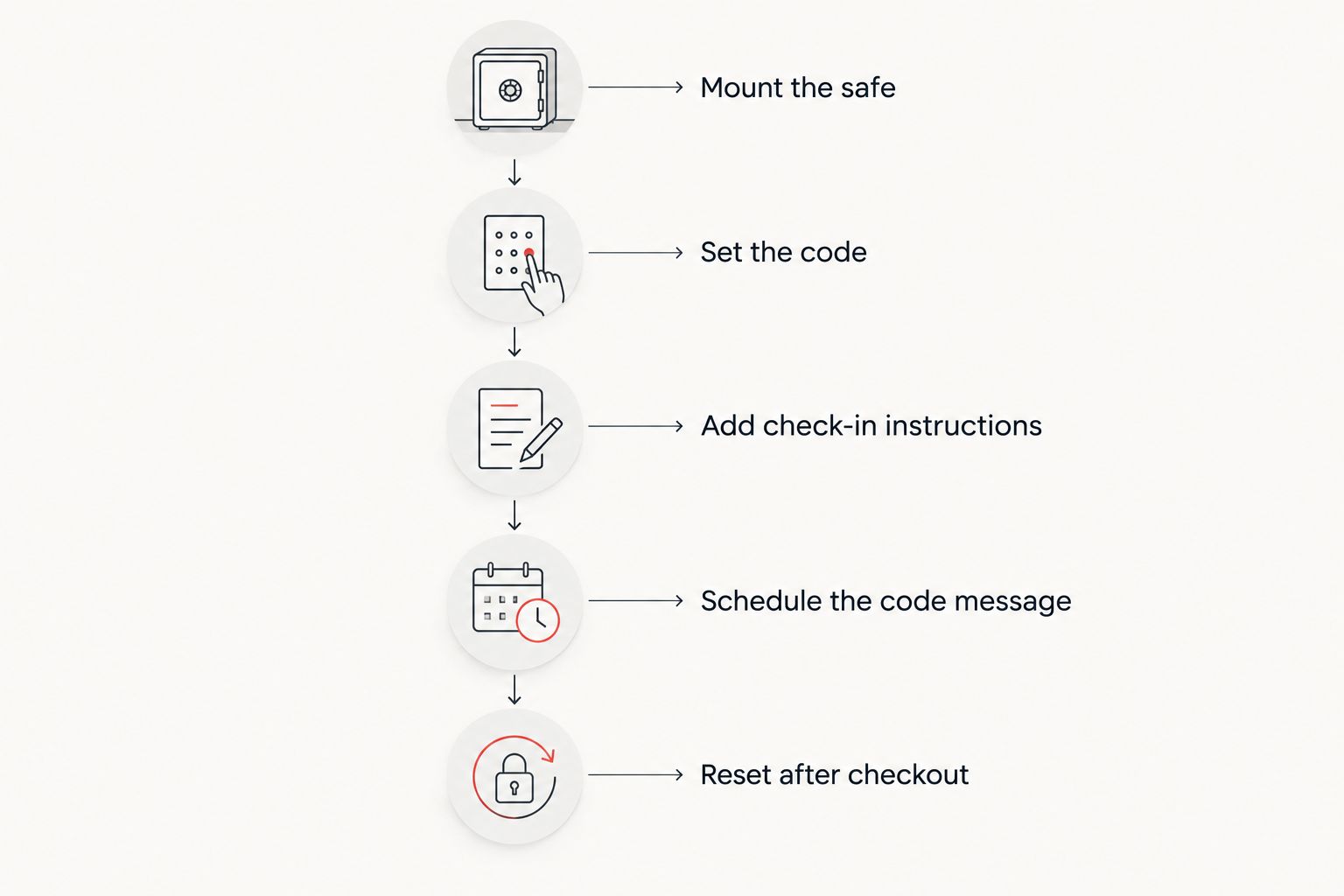
Airbnb's host dashboard has no plug-in, no API, and no app pairing for a physical key safe — there is no button that "connects" the two. What you can do in 2026 is build the key safe into your existing host workflow: check-in instructions, scheduled messaging, and a fixed code-reset routine every time a guest checks out.
- Airbnb has no native key safe airbnb host dashboard integration — treat the safe as a manual step in your check-in workflow instead.
- Add the safe's location to the Check-in instructions field, but never store the live numeric code there permanently.
- Schedule the actual code through Airbnb's message templates so it lands close to arrival, not weeks ahead.
- Reset the code after every single checkout — a static code is the most common Airbnb key safe security failure in 2026.
- Weatherproof digital key safes suit most Australian short-term rentals better than mechanical dial models for turnover speed.
Why this matters
A lot of hosts search for key safes for Airbnb key handovers expecting some kind of software sync, then find out the dashboard only handles messaging and listing content — the safe itself is a physical device you manage separately. That gap is exactly where most self-check-in properties get their bad reviews: guests standing outside with the wrong code, or a code that a previous guest's friend still has. The fix isn't a dashboard setting. It's a repeatable routine that treats the key safe as part of the booking cycle, not a one-time install.
Before you start
- A key safe already mounted at the property — ideally rated for outdoor exposure if it sits on a porch, gate or exterior wall, since Australian coastal and humid conditions corrode cheap dial mechanisms faster than most buyers expect.
- Host or co-host access to the listing's Check-in instructions section in the Airbnb host dashboard, plus access to Message templates if you plan to schedule the code separately.
- The gotcha that catches almost everyone: never leave the live numeric code sitting in the static Check-in instructions field. That field doesn't expire when a guest checks out — anyone who ever viewed that listing's instructions can still read it months later. Treat it as a location guide only, never the code itself.
Set up the key safe at the property
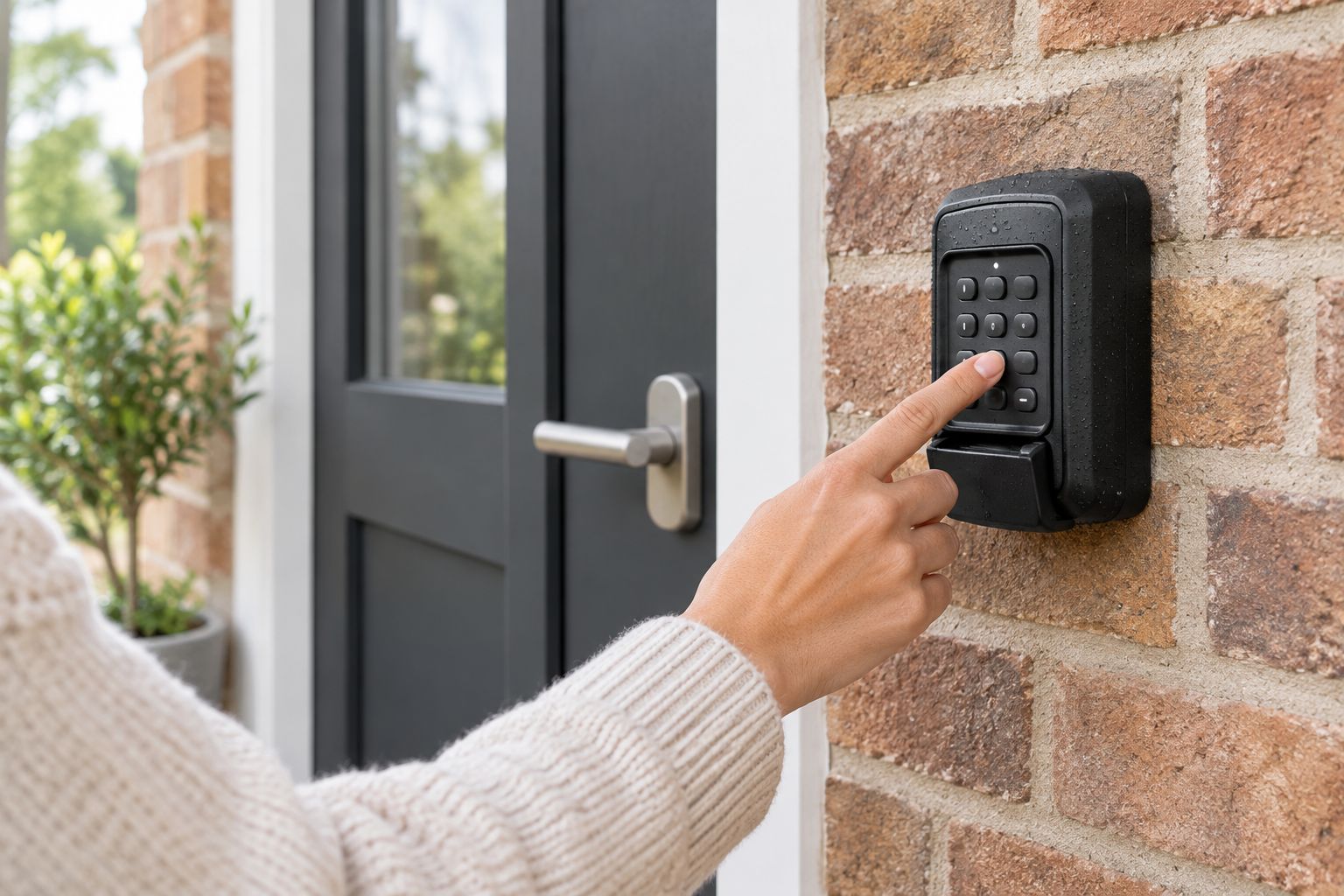
- Mount the safe at the arrival point guests will actually reach first — beside the front door, not around a side gate they won't find in the dark.
- Choose a digital keypad model over a mechanical dial if you're running more than one listing; resetting a digital code takes seconds, resetting a dial mechanism usually needs a tool and more patience.
- Run a full open-close-relock cycle yourself before the first guest arrives, including in low light, so you know exactly what instructions to write.
- Confirm the unit's weather rating matches where it's mounted — full outdoor exposure needs a genuinely weatherproof housing, not a light-duty indoor unit repurposed for the porch.
Expected result: the safe opens on the first attempt with the code you're about to publish, and you've personally confirmed the exact wording a guest will need to find it.
Add check-in details to your Airbnb host dashboard
- Open the host dashboard and go to your Listings, then select the property.
- Find the Arrival Guide or Check-in instructions section (Airbnb renames this occasionally, but it always sits under the guest-facing check-in content for that listing).
- Describe the safe's location in plain language — "grey keypad safe on the wall to the right of the front door" — and click Save.
- Leave the actual code out of this field. Write "code sent separately before arrival" instead.
- Check your release timing setting, since most hosts have this configured to share check-in details automatically a set number of days before arrival rather than the moment a booking is confirmed.
Expected result: every guest sees exactly where to look for the safe without you manually messaging that part, and the live code stays out of a field that never resets on its own.
Schedule the live code through Airbnb messaging
- In the host dashboard, go to Messages and open Message templates (some accounts label this Saved replies).
- Create a template scheduled to send the day before or the morning of check-in, containing the current numeric code and a one-line reminder to reset it after use.
- Turn on the scheduled/automated send toggle so it fires without you remembering manually for every booking.
- Test it on a dummy or upcoming real reservation to confirm the send timing matches your actual check-in window.
Expected result: the code reaches the guest close enough to arrival that it's still useful, and it never sits permanently inside content a future guest — or a stranger browsing an old review with the location description — could stumble across.
Sync codes with a smart lock app instead of a mechanical reset
If your key safe pairs with its own app rather than a fixed dial, you're running a slightly different but adjacent workflow: instead of manually resetting a keypad code, you generate a booking-length code window that starts and ends with the guest's actual stay dates. This still isn't a dashboard integration — you're setting the window inside the safe's own app, then pasting the resulting code into the same Message template step above. Hosts running several properties often prefer this because it removes the manual reset step entirely; the trade-off is that the code has to be generated fresh for every reservation, so it still needs a person checking the calendar. For a broader look at pairing digital hardware with a phone, see connecting a digital safe to your phone for the same underlying setup applied to indoor safes.
Troubleshooting
- Guest can't find the safe in the dark. Add a distance and colour cue to the Check-in instructions text — "grey box, waist height, right of the doorframe" beats "near the door" every time.
- Code stopped working after a previous guest checked out. Someone reset it manually and forgot to update the Message template. Cross-check the template against the safe's actual current code before every new arrival.
- Guest posts the code in a public review. This is exactly why a static code in Check-in instructions is dangerous — reset immediately and move fully to the scheduled-message method above.
- Dial jams after a wet week. A mechanical combination lock exposed to Australian humidity or coastal salt air seizes faster than a sealed digital keypad; this is the main argument for choosing digital for exterior mounting in 2026.
- Scheduled message sends at the wrong local time. Check the listing's timezone setting in the host dashboard against the guest's actual arrival timezone, especially for interstate bookings.
Customize your workflow
Once the core routine is running, the next problem is usually scale — one code-reset habit works fine for one listing, but running three or four Airbnb properties across a city means juggling several safes with several codes on the same day as cleaner visits. A dedicated CMI security key cabinet gives your cleaning or turnover team one place to store and log spare physical keys for every address instead of relying on memory. Buy A Safe stocks the CMI security key cabinet for exactly this multi-property handover problem, separate from the outdoor key safe at each front door.
FAQ
Can I connect a key safe directly to Airbnb's host dashboard?
No — there is no native key safe airbnb host dashboard integration in 2026. You manage the safe manually and use the dashboard's Check-in instructions and Message templates to hand off the code.
Where do I add key safe instructions in the Airbnb host dashboard?
Under the listing's Arrival Guide or Check-in instructions section. Describe the safe's location there, but keep the actual numeric code out of that permanent field.
Should I change the key safe code for every guest?
Yes. Resetting the code after every checkout is the single biggest factor separating secure self-check-in setups from ones that get bad reviews over lockouts or unauthorised entry.
What type of key safe works best for Airbnb turnovers?
A digital keypad key safe rated for outdoor exposure resets faster between guests than a mechanical combination dial, which matters when you're turning a property same-day.
Is a digital key safe better than a combination dial for short-term rentals?
For turnover speed, yes — a digital code resets in seconds while a mechanical dial usually needs a tool and more time, which adds friction on tight same-day changeovers.
How do I stop guests from sharing the code after checkout?
Reset the code immediately after every stay and never leave it inside a static, permanently visible field like the listing's Check-in instructions text.
Can Airbnb's smart lock partners replace a key safe?
A smart lock changes the access method at the door itself, but many hosts still keep a key safe as a backup for cleaners, maintenance access or lock battery failure.
What weather rating does an outdoor key safe need in Australia?
Any key safe mounted outside in coastal or humid regions needs a genuinely weatherproof housing — a light-duty indoor unit will corrode and jam faster than a sealed outdoor model.
One last thing
Hosts running several Airbnb listings across the same city often standardise on one key safe model for every property specifically so the reset routine is identical at every address — the cleaner or co-host doesn't have to remember four different keypad layouts on the same shift. That single decision, more than any dashboard setting, is what actually makes the key safe airbnb host dashboard integration workflow scale past one listing.


